
Top 10 Best Laptops in Nepal 2026: Price, Specs and Complete Buying Guide
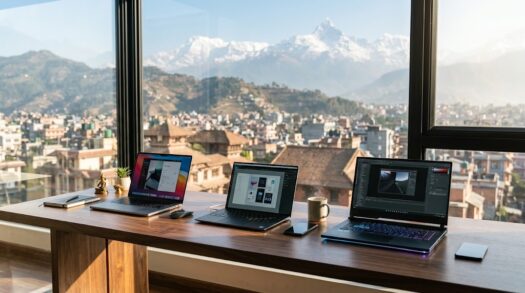
Best Laptops in Nepal 2026
Buying the best laptop in Nepal can be confusing because there are hundreds of models available from Acer, Lenovo, Apple, ASUS, HP, Dell, MSI and other brands. Two laptops that look almost identical may have completely different processors, displays, graphics cards, RAM configurations and warranty conditions.
Price differences make the decision even harder. The same laptop can sometimes have one price at an authorised seller and a noticeably lower price through an unofficial importer. Therefore, choosing a laptop only by looking at the price tag is not always a good idea.
A better approach is to first decide what you actually need the laptop for.
A student who mainly uses Microsoft Word, Chrome, Zoom and PowerPoint does not need the same hardware as an engineering student using AutoCAD or SolidWorks. Similarly, a programmer may value battery life, keyboard quality and RAM more than a gamer who mainly needs a powerful GPU and high-refresh-rate display.
In 2026, Nepalese buyers have more options than ever. Affordable laptops have become good enough for normal study and office work, while mid-range laptops now offer fast processors, OLED screens, 16GB of RAM and large SSDs. Gaming laptops have also become considerably more powerful thanks to NVIDIA RTX graphics.
This guide covers ten of the best laptops currently worth considering in Nepal. Instead of simply ranking the most expensive models at the top, the list considers value for money, performance, display quality, portability, battery life, specifications and the type of buyer each machine suits.
Laptop prices change frequently because of stock, promotional discounts, exchange rates and whether a machine comes through an authorised or grey-market channel. Current Nepal listings also show significant differences between official and unofficial configurations, so all prices in this article should be treated as approximate market prices rather than permanent retail prices.
Top 10 Best Laptops in Nepal 2026 at a Glance
| Rank | Laptop | Best For | Approximate Price in Nepal |
|---|---|---|---|
| 1 | Apple MacBook Air M4 | Best overall lightweight laptop | NPR 150,000+ |
| 2 | Acer Swift Go 14 OLED | Best Windows laptop for most users | NPR 108,500+ |
| 3 | Acer Aspire 15 Ryzen 5 | Best value laptop | NPR 75,999+ |
| 4 | ASUS Zenbook 14 OLED | Best premium Windows ultrabook | NPR 164,999+ |
| 5 | HP OmniBook X Flip 14 | Best 2-in-1 laptop | NPR 137,999+ |
| 6 | Lenovo IdeaPad Slim 5 | Best student/work laptop | NPR 115,000+ |
| 7 | HP Victus 15 RTX 4050 | Best affordable gaming laptop | NPR 104,999+ |
| 8 | Acer Nitro V 16 | Best performance gaming value | NPR 150,000+ |
| 9 | Lenovo LOQ 15 | Best gaming/engineering laptop | NPR 165,000+ depending on configuration |
| 10 | Apple MacBook Pro 14 M5 | Best professional laptop | NPR 285,000+ depending on configuration |
The exact model and price available at a shop may differ from the configuration shown here. Always verify the processor, GPU, RAM, SSD, screen and warranty before paying.
1. Apple MacBook Air M4 – Best Overall Laptop in Nepal
The Apple MacBook Air M4 is one of the easiest laptops to recommend to students, programmers, business users, content creators and professionals who prioritise portability and battery life.
Apple introduced the M4 MacBook Air internationally in 2025, and it subsequently became available in Nepal. Current Nepal listings show the 13-inch M4 model with 16GB unified memory around the NPR 150,000 to NPR 160,000 range depending on seller and storage configuration.
What makes the MacBook Air particularly attractive is that Apple now offers substantially more useful memory configurations than older base-model MacBooks.
A 16GB memory configuration is much easier to recommend in 2026 than the older 8GB models, particularly if you intend to keep the laptop for several years.
MacBook Air M4 Key Specifications
The popular 13-inch version uses Apple’s M4 processor with a 10-core CPU and either an 8-core or 10-core GPU depending on configuration. It comes with a 13.6-inch Liquid Retina display, 16GB unified memory on common base configurations, SSD storage, Wi-Fi, MagSafe charging and Thunderbolt 4 connectivity.
The laptop weighs about 1.24kg, making it considerably easier to carry around than a typical 15.6-inch Windows gaming laptop.
For university students travelling between home, college and libraries, that low weight is a genuine advantage.
Performance
The M4 chip delivers more than enough performance for normal productivity tasks.
Applications such as Microsoft Word, Excel, PowerPoint, Google Chrome, Safari, Zoom, Teams and programming environments run smoothly.
It is also highly capable for software development, photo editing, moderate video editing and music production.
The fanless design is another major advantage. The MacBook Air operates silently because there is no cooling fan.
That makes it particularly pleasant in quiet classrooms, libraries and meetings.
For sustained professional rendering, however, the fanless cooling system can become a limitation compared with a MacBook Pro or high-performance Windows workstation.
Display
Apple’s Liquid Retina display remains one of the strongest parts of the MacBook Air experience.
Text looks sharp, colours are attractive and brightness is sufficient for most indoor environments.
However, one limitation is the 60Hz refresh rate.
Some Windows laptops near this price range now provide 90Hz or 120Hz OLED displays. People accustomed to high-refresh-rate phones may notice that scrolling is smoother on those laptops.
Still, colour quality and general display consistency remain excellent.
Battery Life
Battery efficiency is one of the biggest reasons to choose the MacBook Air.
Apple Silicon laptops generally deliver considerably better unplugged efficiency than many performance-oriented Windows machines.
A student can realistically carry the MacBook Air through classes and study sessions without constantly searching for a charging socket, although actual battery duration depends on workload, brightness, browser tabs and applications.
Who Should Buy It?
The MacBook Air M4 makes the most sense for university students, office professionals, business owners, programmers, writers, researchers, designers and users who travel frequently.
It is also an excellent choice if you already use an iPhone, AirPods or other Apple devices.
Apple’s ecosystem features make file transfers, messaging and device integration convenient.
Who Should Avoid It?
Serious gamers should generally look elsewhere.
Although Apple Silicon has respectable graphics performance, Windows remains the stronger platform for broad PC game compatibility.
You should also verify whether specialist engineering, accounting or university software required by your course supports macOS.
A Windows laptop may be safer if your studies depend on Windows-only applications.
MacBook Air M4 Verdict
For someone who wants a laptop that feels premium, remains fast, has strong battery life and is easy to carry, the MacBook Air M4 is one of the best laptops available in Nepal.
Its major disadvantages are limited port selection, expensive storage upgrades, a 60Hz display and weaker gaming compatibility.
For general productivity, however, it is extremely difficult to beat.
2. Acer Swift Go 14 OLED – Best Windows Laptop for Most People
If you prefer Windows but still want something thin, modern and powerful, the Acer Swift Go 14 is one of the strongest options in the Nepalese market.
Current Nepal buying guides list configurations such as the Intel Core Ultra 5 125H model with 16GB RAM, 512GB SSD and a 14-inch WQXGA 90Hz OLED display at approximately NPR 108,500.
That price makes it especially attractive because the specifications are closer to what many buyers would expect from a more expensive premium ultrabook.
Why the Swift Go 14 Stands Out
Its biggest advantage is balance.
It does not specialise only in gaming, portability or battery life.
Instead, Acer combines a capable processor, good memory capacity, fast SSD storage and a high-quality OLED screen in a relatively portable chassis.
For most university students and working professionals, that is exactly the combination that matters.
OLED Display
The OLED screen is one of the main reasons to choose the Swift Go.
OLED technology can display very deep blacks because individual pixels can effectively switch off.
As a result, movies, photographs, graphics and dark user interfaces can look significantly more vibrant than on a cheap IPS or TN laptop panel.
The higher resolution also helps text and fine interface elements appear sharp.
A 90Hz refresh rate makes scrolling and animations smoother than a standard 60Hz screen.
For someone who spends several hours each day looking at a laptop, display quality should not be underestimated.
Performance
Intel’s Core Ultra processors are designed for modern thin-and-light computers.
The Core Ultra 5 125H provides enough CPU capability for study, office work, programming, light editing and multitasking.
With 16GB of RAM, users can comfortably open multiple browser tabs while running Microsoft Office, communication applications and development tools.
The integrated graphics will also handle light creative workloads and casual games.
However, this is not a substitute for an RTX-equipped gaming laptop.
Portability
A 14-inch laptop often provides the ideal compromise between portability and usable screen size.
A 13-inch machine is easier to carry but can feel cramped when working with multiple windows.
A 15.6-inch laptop gives you more screen space but usually adds weight.
The Swift Go 14 sits comfortably in the middle.
Who Should Buy It?
This machine is particularly suitable for students studying management, computing, IT, business, accounting and similar courses.
It is equally suitable for programmers and office users who want Windows without carrying a heavy gaming laptop.
Acer Swift Go 14 Verdict
If your budget is around NPR 100,000 to NPR 120,000, the Acer Swift Go 14 should be high on your shortlist.
Its combination of 16GB memory, SSD storage, Core Ultra processor and OLED screen gives it excellent value.
For people who want a premium-feeling Windows laptop without moving into very expensive territory, this is one of the best choices in Nepal.
3. Acer Aspire 15 Ryzen 5 – Best Value Laptop in Nepal
Not everyone needs to spend NPR 150,000 on a computer.
For students and everyday users, the Acer Aspire 15 can provide excellent practical performance at a substantially lower price.
A 2026 Nepal buying guide has listed a configuration with AMD Ryzen 5 8840HS, 16GB RAM, 512GB SSD and a 15.6-inch Full HD IPS display around NPR 75,999, although availability and pricing can vary.
That is impressive value if you can find the same configuration.
Why It Offers Good Value
Many cheap laptops sacrifice either the processor, memory or storage.
You might find a Core i3 with 8GB RAM, for example, or a machine with a decent processor but only 256GB of storage.
A Ryzen 5 system with 16GB RAM and a 512GB SSD provides a far healthier specification for long-term use.
Ryzen 5 Performance
The Ryzen 5 8840HS is significantly more capable than the entry-level processors commonly found in inexpensive student laptops.
It can comfortably handle browser-based work, Microsoft Office, online classes, programming and light creative applications.
The integrated Radeon graphics are also useful for casual games and some GPU-accelerated workloads.
You should not expect it to match an NVIDIA RTX gaming GPU, but it is more versatile than a basic office laptop.
16GB RAM Is Important
In 2026, 16GB has become the sensible target for buyers who plan to keep their laptop for several years.
Windows itself consumes memory, while browsers can quickly use several gigabytes when many tabs are open.
Applications such as Teams, Discord, Adobe software and programming tools increase memory usage further.
An 8GB laptop can still work for basic tasks, but 16GB gives you more breathing room.
512GB SSD
A 512GB SSD is also an appropriate starting point.
Windows, applications and updates consume a meaningful portion of a smaller 256GB drive.
If you store videos, photographs, games or university project files, 256GB can become restrictive surprisingly quickly.
Display and Build
The Aspire series normally prioritises affordability over luxury.
Do not expect the same chassis quality as a premium Zenbook or MacBook.
However, a Full HD IPS panel is perfectly adequate for everyday work.
The larger 15.6-inch screen can actually be more comfortable than a 13-inch ultrabook if the laptop mostly stays on a desk.
Who Should Buy It?
The Acer Aspire 15 is ideal for students, teachers, office workers, accountants, small-business users and families looking for one general-purpose laptop.
It is particularly attractive for users who value specifications over premium materials.
Acer Aspire 15 Verdict
If you want maximum practical performance without paying for unnecessary luxury features, the Acer Aspire 15 is one of the smartest laptops to consider.
Around this budget, always compare exact configurations carefully because Acer sells multiple Aspire versions with different processors, RAM capacities and displays.
4. ASUS Zenbook 14 OLED – Best Premium Windows Ultrabook
ASUS has built a strong reputation for premium OLED laptops, and the Zenbook 14 is one of its most attractive options.
A current Nepal buying guide lists a Ryzen 7 350 version with 16GB RAM, 512GB SSD and a 14-inch 120Hz OLED screen around NPR 164,999.
This puts the Zenbook in direct competition with the MacBook Air and premium models from Lenovo, Acer, Dell and HP.
Premium Design
The Zenbook line is intended for buyers who want portability without making the laptop feel cheap.
The chassis is typically thinner and more refined than Acer Aspire or ASUS Vivobook budget models.
This matters if you frequently carry your laptop to meetings, university or client presentations.
120Hz OLED Screen
The screen is arguably the star of the machine.
Combining OLED contrast with a 120Hz refresh rate gives users both excellent image quality and smooth motion.
Scrolling webpages, moving windows and navigating applications can feel noticeably smoother than on a traditional 60Hz display.
For photographers, designers and content creators, the richer display is particularly useful.
However, professionals doing colour-critical work should still calibrate their monitor and verify the exact colour specifications of the model they purchase.
Ryzen Performance
A modern Ryzen 7 processor provides enough performance for demanding productivity tasks.
You can comfortably use the laptop for programming, large spreadsheets, research, multitasking, photo editing and moderate content creation.
Its integrated graphics are useful, but buyers doing intensive 3D rendering or serious gaming should choose a system with a dedicated GPU.
Portability
A premium 14-inch ultrabook works particularly well for people who travel.
It is large enough for comfortable daily work yet small enough to fit into most backpacks without becoming burdensome.
MacBook Air or Zenbook?
This is one of the most interesting comparisons in this price category.
Choose the MacBook Air if you prioritise battery efficiency, Apple’s ecosystem, silent operation and macOS.
Choose the Zenbook if you prefer Windows, value an OLED high-refresh display and require broader Windows software compatibility.
Neither is universally better.
The right choice depends on your software and workflow.
ASUS Zenbook 14 OLED Verdict
The Zenbook 14 OLED is one of the best premium Windows laptops in Nepal for professionals and students who are willing to pay extra for display quality, portability and design.
It is particularly compelling for someone who likes the portability of a MacBook Air but needs Windows.
5. HP OmniBook X Flip 14 – Best 2-in-1 Laptop in Nepal
Convertible laptops are useful for users who want both a conventional notebook and touchscreen tablet-style experience.
The HP OmniBook X Flip 14 is one of the more interesting premium 2-in-1 options currently appearing in Nepal.
Recent Nepal buying guides have shown configurations around NPR 137,999 to NPR 139,999 depending on processor and specification.
What Is a 2-in-1 Laptop?
A convertible laptop uses a hinge that allows the display to rotate backwards.
You can use it like a normal laptop when typing, flip it into tent mode for presentations or video viewing, or fold it into a tablet-like configuration.
This flexibility is particularly useful for students who take handwritten notes and creative users who work with a stylus.
Performance
Modern OmniBook X Flip configurations use current-generation Intel or AMD processors depending on model.
With 16GB RAM and fast SSD storage on common higher-end configurations, they are capable productivity machines rather than basic tablets.
This is important because some older convertible laptops compromised heavily on performance.
Touchscreen Advantages
A touchscreen is not essential for everyone.
If you only type documents and use a mouse, you may rarely touch the screen.
However, architecture students, designers, presenters and people who annotate PDFs can benefit from pen input.
Students can also use the display for handwritten diagrams and lecture notes where supported.
Potential Disadvantages
Convertible hinges add mechanical complexity.
Touchscreens can also increase cost and sometimes affect battery consumption.
If you know you will never use tablet or pen functionality, an ordinary laptop may provide better specifications for the same money.
HP OmniBook X Flip Verdict
Buy the OmniBook X Flip because you specifically want flexibility.
It is an excellent option for note-taking, presentations, drawing and mixed laptop/tablet use.
If touchscreen capability is not important, compare it against conventional ultrabooks before making your final decision.
6. Lenovo IdeaPad Slim 5 – Best Laptop for Students and Office Work
Lenovo’s IdeaPad family has remained popular because it sits between cheap entry-level notebooks and expensive ThinkPads.
The IdeaPad Slim 5 is particularly suitable for buyers who want a reliable everyday Windows computer without paying for gaming hardware.
Recent Nepal student-laptop guides have placed certain IdeaPad Slim 5 configurations at around NPR 115,000, though the exact processor and specification vary between sellers.
Why Students Like the IdeaPad Series
A university laptop needs to do several things well.
It should be light enough to carry, powerful enough for multitasking and durable enough to survive years of daily use.
Battery life also matters because classrooms do not always have convenient power sockets.
The IdeaPad Slim series focuses on precisely this type of user.
Keyboard
Lenovo has historically placed considerable emphasis on keyboard usability across many of its laptop families.
Keyboard quality is difficult to represent on a specification sheet, but it can make a significant difference if you write thousands of words for assignments.
Students completing reports, dissertations or coding projects should consider keyboard comfort alongside processor performance.
Performance
The exact performance depends on the processor included in the configuration you buy.
That is why checking the complete model number is important.
Two laptops marketed as “IdeaPad Slim 5” can contain different processors, displays, memory capacities and storage.
Aim for at least 16GB RAM if your budget allows.
A 512GB SSD is also preferable for most university students.
Best Uses
The IdeaPad Slim 5 suits business degrees, accounting, nursing, hospitality, social sciences, information technology and general university coursework.
Students in architecture, advanced engineering or 3D disciplines may require a dedicated GPU instead.
Lenovo IdeaPad Slim 5 Verdict
This is a sensible laptop for buyers who care about practical daily usability rather than gaming performance.
If you find a good Ryzen 5, Ryzen 7, Core Ultra 5 or comparable configuration with 16GB RAM at a competitive price, it deserves serious consideration.
7. HP Victus 15 RTX 4050 – Best Affordable Gaming Laptop
Gaming laptops used to require a very large budget, but models such as the HP Victus have brought dedicated RTX graphics into more accessible price categories.
A Nepal buying guide lists an HP Victus 15 configuration using AMD Ryzen 5 8645HS, NVIDIA GeForce RTX 4050, 16GB RAM, 512GB SSD and a 15.6-inch 144Hz Full HD display around NPR 104,999.
If available near that price, it offers strong performance per rupee.
NVIDIA RTX 4050 Graphics
The GPU is the main reason to buy this laptop rather than a normal ultrabook.
An RTX 4050 provides significantly more graphics capability than integrated Intel or AMD graphics.
That makes it useful for modern games, Blender, GPU rendering, Adobe applications, engineering software and other workloads that benefit from dedicated graphics.
Gaming Performance
Exact frame rates depend on the game’s settings, cooling system, GPU power limit and whether features such as DLSS are available.
Nevertheless, RTX 4050-class hardware is well suited to 1080p gaming.
The 144Hz screen is also helpful because supported games can look much smoother above 60 frames per second.
Engineering and Architecture
Gaming laptops are not only for gamers.
Students using AutoCAD, Revit, SketchUp, Lumion, SolidWorks, Blender and related software frequently choose gaming hardware because it provides more CPU and GPU performance for the price.
The Victus is therefore an appealing option for technical students who cannot justify a premium mobile workstation.
Downsides
Gaming laptops sacrifice portability and efficiency.
The Victus is larger and heavier than an ultrabook.
Battery life under demanding workloads will also be significantly shorter.
The charger itself is larger, making the total weight in your backpack even higher.
Fan noise is another consideration.
During gaming or rendering, cooling fans need to move substantial air through the chassis.
HP Victus 15 Verdict
The Victus is one of the best choices if you need dedicated graphics on a limited budget.
For office work alone, buy something lighter.
For gaming, engineering, 3D work and GPU-accelerated applications, the Victus makes far more sense than an ordinary thin laptop.
8. Acer Nitro V 16 – Best Value Performance Gaming Laptop
If you can increase your budget, the Acer Nitro V 16 offers considerably more gaming performance.
Current Nepal listings have shown configurations such as a Ryzen 7 8845HS model paired with an RTX 4060, 16GB RAM, 512GB SSD and 165Hz display around NPR 151,999. Other newer configurations, including RTX 5050-based machines, can be priced differently.
Why RTX 4060 Matters
Moving from an RTX 4050 to RTX 4060 generally provides a useful increase in GPU capability.
For demanding games, 3D rendering and GPU-heavy content creation, that additional power can justify paying more.
You also gain additional headroom for future games.
16-Inch Display
The larger display is excellent for gaming and productivity.
A 16-inch screen gives you more workspace for timelines, code editors, spreadsheets and 3D applications.
The high refresh rate is particularly useful in competitive games.
Of course, the larger body also reduces portability.
Cooling
Performance laptops need good thermal management.
A powerful processor and GPU can only maintain performance if the cooling system dissipates heat effectively.
The Nitro family is designed around this requirement more aggressively than Acer’s thin-and-light Swift machines.
That means you should expect more fan noise but also better sustained performance.
RAM and Storage
16GB RAM remains acceptable for gaming and most creative work.
However, advanced video editing, virtual machines and large professional projects can benefit from 32GB.
Before buying, check whether the RAM and SSD can be upgraded.
Upgradeability can significantly extend a laptop’s useful life.
Acer Nitro V 16 Verdict
The Nitro V 16 is one of the best laptops in Nepal for someone who wants a large performance improvement over entry-level gaming machines without immediately entering extremely expensive flagship territory.
It is particularly suitable for gamers, engineering students, architects and creators who prioritise performance over portability.
9. Lenovo LOQ 15 – Best Gaming and Engineering Laptop Range
The Lenovo LOQ family is one of the most popular gaming-oriented laptop ranges currently available in Nepal.
However, buyers need to be particularly careful because “Lenovo LOQ 15” refers to many different configurations.
Current Nepal listings include machines with RTX 3050, RTX 4050, RTX 5050 and RTX 5060 graphics, as well as several Intel and AMD processors. Prices vary dramatically according to specification and whether the laptop is sold through an authorised or grey-market channel.
Why LOQ Is Popular
Lenovo positioned LOQ below its premium Legion gaming family.
That means buyers can access gaming-focused cooling, high-performance processors and dedicated NVIDIA graphics without paying full Legion prices.
For students, this creates an attractive combination.
RTX 3050 vs RTX 4050 vs RTX 5050 vs RTX 5060
Do not buy a LOQ simply because the name is familiar.
The GPU makes an enormous difference.
An RTX 3050 configuration should cost noticeably less than an RTX 4050 or RTX 5060 configuration.
Similarly, the amount of GPU power available to the graphics chip can affect real-world performance.
Always compare the exact model rather than the marketing family.
Processor Options
LOQ laptops are available with both Intel and AMD processors.
Higher-powered HX and HS processors are designed for performance rather than maximum battery endurance.
They work well for gaming and demanding applications, but they produce more heat and consume more power than ultrabook processors.
Display
Many LOQ configurations include 144Hz or 165Hz displays.
For gaming, this is substantially better than a basic 60Hz screen.
However, display colour gamut and brightness can vary between configurations.
Creative professionals should verify the panel specification if accurate colour matters.
Engineering Applications
A well-configured LOQ is excellent for AutoCAD, SolidWorks, Revit, SketchUp, Blender and many engineering applications.
A dedicated NVIDIA GPU is particularly useful for GPU-accelerated rendering.
For architecture students, the combination of a capable CPU, dedicated GPU and upgradeable memory can make LOQ much more useful than a thin ultrabook.
Portability
This is not a machine for people who value minimal weight.
Gaming laptops are heavier, thicker and require larger chargers.
If you travel every day and only perform normal productivity tasks, an IdeaPad, Swift, Zenbook or MacBook Air will be more comfortable.
Lenovo LOQ Verdict
The LOQ range provides some of the best gaming and technical-workstation value in Nepal, but only when you compare the exact configuration.
Do not judge it by the LOQ name alone.
Check CPU, GPU, GPU wattage, RAM, SSD, screen, battery, warranty and price before buying.
10. Apple MacBook Pro 14 M5 – Best Professional Laptop
At the premium end of the market, the MacBook Pro is designed for users whose laptop is a serious professional tool.
Current Nepal price guides list M5-generation MacBook Pro configurations considerably above ordinary consumer laptops, with prices varying based on memory, storage and processor tier.
Who Needs a MacBook Pro?
Not everyone.
For browsing, Word documents, online classes and regular programming, a MacBook Air already provides excellent performance.
The MacBook Pro becomes attractive when your workflow involves sustained CPU or GPU loads.
Examples include professional video production, software development with heavy builds, music production, high-resolution photo editing, motion graphics and other demanding creative work.
Active Cooling
One important difference between the Air and Pro is cooling.
The MacBook Air is fanless.
The MacBook Pro includes active cooling, allowing the processor to sustain higher performance during long workloads.
For a short operation, you may not notice a dramatic difference.
During a long render or export, sustained cooling becomes more important.
Display
MacBook Pro displays are designed for premium visual work.
High refresh rates, strong brightness and excellent colour reproduction make them suitable for professional media workflows.
This is one of the areas where the Pro clearly separates itself from cheaper laptops.
Ports
Professional users also benefit from additional connectivity compared with the minimalist MacBook Air.
Depending on model, the Pro provides connectivity suited to creators who use external displays, cameras and high-speed storage.
Cost
The obvious disadvantage is price.
Once you increase memory and storage, MacBook Pro configurations become extremely expensive in Nepal.
Buy it because your work genuinely benefits from the capabilities.
Do not buy it simply because it is Apple’s most expensive laptop.
MacBook Pro Verdict
For professional creators and developers who use macOS and require sustained performance, the MacBook Pro is one of the best laptops money can buy.
For typical students, it is unnecessary.
The MacBook Air offers much better value for normal study and productivity.
Best Laptop in Nepal by Budget
Price is often the first question Nepalese buyers ask.
Instead of looking for one universal “best” laptop, it is more useful to divide the market by budget.
Best Laptop Under NPR 50,000 in Nepal
The sub-NPR 50,000 category is difficult in 2026.
Current Nepal buying guides note that genuinely good new laptops are limited at this level, and some recommendations slightly exceed NPR 50,000.